August 5th, 2025
Improved
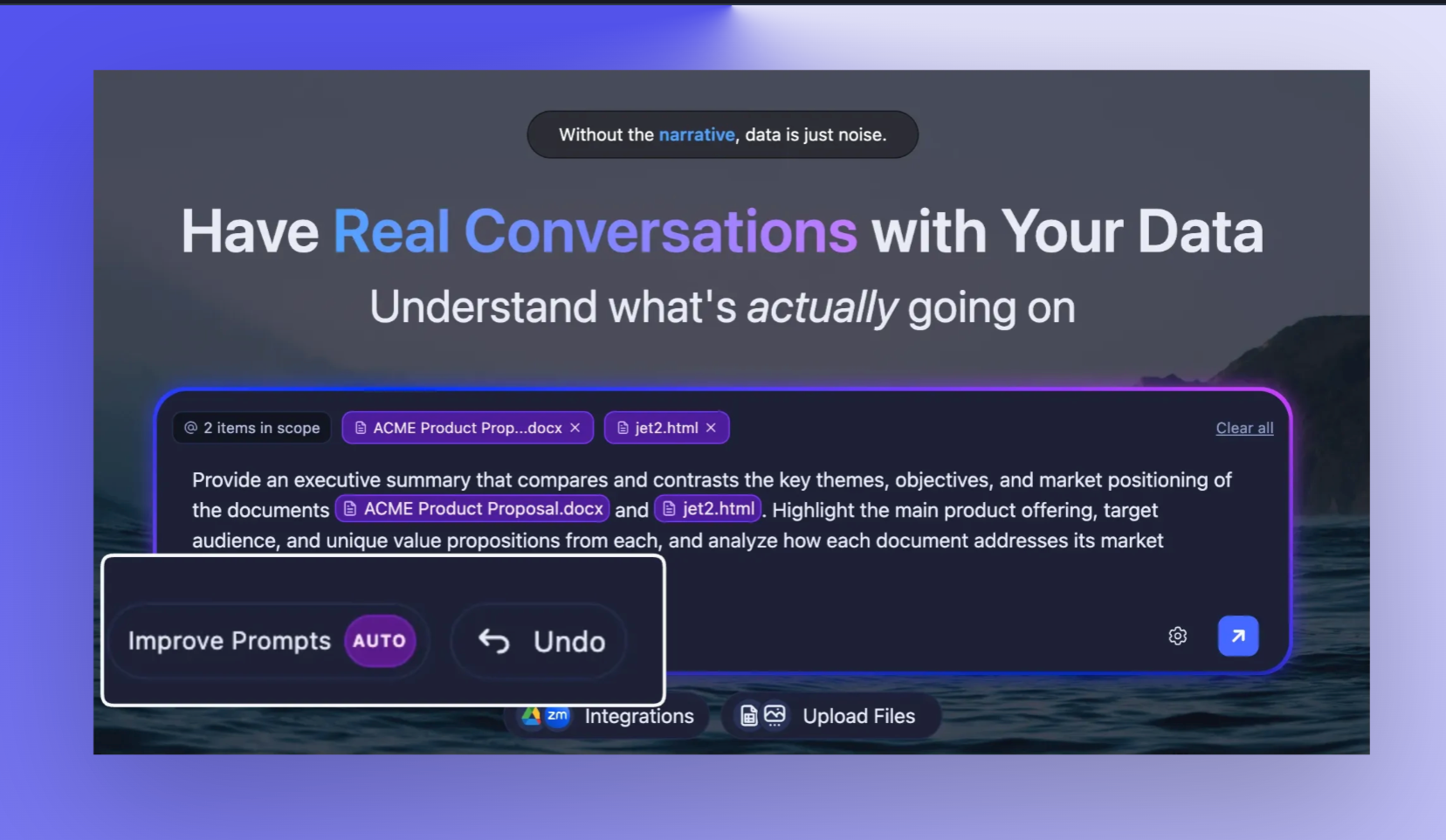
Auto mode now automatically replaces prompts
Following yesterday's Auto-Improve your prompts release, we've updated the "auto" mode to work better, based on your feedback!
When you enable auto mode for prompt improvement, Storytell now directly replaces your original prompt with the enhanced version instead of showing it as a suggestion you need to accept.
What changed: Previously, auto mode still required you to review and manually accept the improved prompt. Now it processes the improvement and automatically updates your prompt field. You can now also undo the improvement if you want to.
How it works: Enable auto mode in your prompt improvement settings. When you submit a prompt, you'll see a brief "Improving your prompt..." indicator, then your text is automatically replaced with the optimized version that includes relevant assets and concepts that you’ve uploaded.
Technical Details: The system now checks if (state() === "auto") and automatically processes the response through parseStringIntoJSONContent(), extracting assets and concepts before using typePrompt() to replace the original content. The isPromptBeingTyped flag manages the UI state during the replacement process.
Get started here: Improving your prompts automatically
Share your feedback
We LOVE your feedback. Share your thoughts and wishes over at roadmap.storytell.ai to help build Storytell.