December 3rd, 2025
New
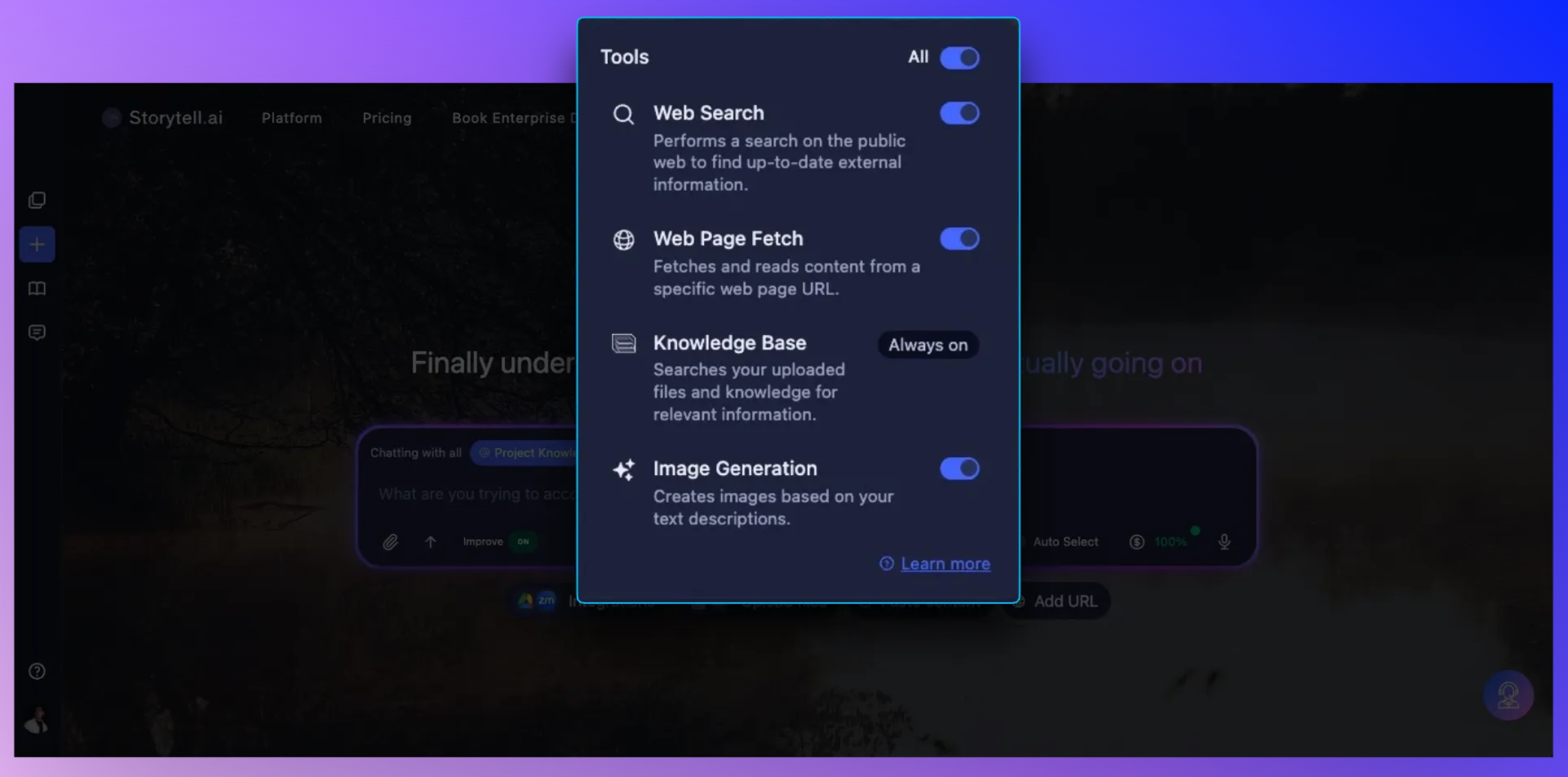
Storytell tools: choose the helpers you want Storytell to use
Storytell can now use specialized tools to search the web, analyze URLs, read your documents, or create custom images. You control which of these capabilities are active through the tools menu beside the model selector.
What’s new
You can now decide which external abilities Storytell can access in each conversation. Turn tools on when you need current information, URL analysis, document search, or image creation. Turn them off when you prefer responses based only on your documents and the model’s built-in knowledge.

Key improvements
Tools menu: A single dropdown beside the model selector lists all available tools with simple toggles.
Instant changes: Tool settings update immediately for your current conversation.
Available tools:
Web Search: Finds recent articles, news, and online resources for time-sensitive research.
Web Page Fetch: Reads and extracts content from any URL you provide for deeper analysis.
Knowledge Base: Searches your uploaded documents. This tool is always enabled.
Image Generation: Creates custom images using the best generator for your request: DALL·E 3 for versatility, Banana (Gemini Flash) for readable text and consistent characters, and Imagen 3 for photorealism.
ⓘ Tip: Toggle only the tools you need if you want focused results or have compliance requirements.
Why we built this
Different tasks call for different capabilities. Some work requires fresh information, others rely entirely on your documents, and some involve creative visuals. Tool controls allow you to shape Storytell to match your workflow.
Who benefits most
Researchers and knowledge workers who need recent or authoritative sources
Teams that often share URLs or online documentation
Designers and marketers who create visual drafts or realistic renders
Security-conscious teams that prefer limiting external access