November 21st, 2025
New
Improved
Fixed
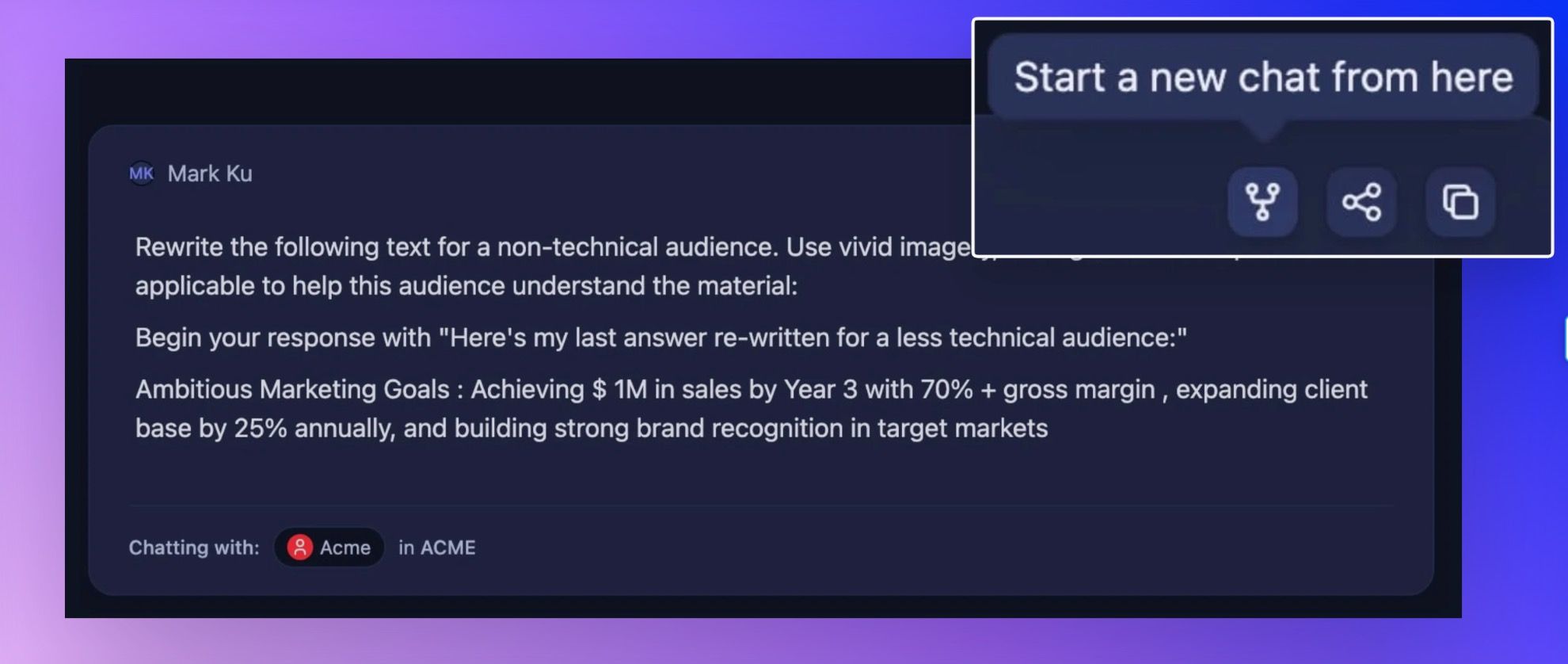
Start a new chat thread from a specific point
Ever wish you could rewind a conversation and try a different direction? Now you can.
What it does: Fork any SmartChat™ at any message to create a new conversation that branches from that exact point. Perfect for when you want to explore different angles without losing your original thread.
How it works: Look for the new fork button next to any message in your chat thread. Click it, and you'll instantly jump to a fresh conversation that picks up right where you left off. The original message will show a subtle "Referenced" indicator so you know it came from another chat.
Who benefits: Anyone who's ever thought "wait, I want to try this differently" mid-conversation. Great for exploring multiple solutions, testing different approaches, or simply organizing your thoughts into cleaner conversation threads.
Get started: Start a new chat from a specific message
Rename and auto-generate chat thread titles

Your chat threads deserve better names than "Clarify information from ….."
What it does: Click any chat title to rename it manually, or hit the sparkle button (✨) to let Storytell generate a smart title based on your conversation content.
Why this matters: With forking creating more conversations, good titles help you find exactly what you're looking for. No more scrolling through identical "New Chat" entries trying to remember which one had your brilliant insight about Q3 projections.
Pro tip: Auto-generated titles analyze both your question and Storytell's response to create contextually relevant names. It's surprisingly good at capturing what you were actually working on.
More keyboard shortcuts
Power users, this one's for you. We added more comprehensive keyboard shortcuts throughout the knowledge pane.
New shortcuts:
CMD+Left/Right: Navigate between asset lists and concept graphs
CMD+Left now also opens your Knowledge pane
CMD+1-9: Jump directly to your most recent assets or chat threads
CMD+Up/Down: Scroll through long asset lists quickly
Tab: Navigate through each element on your screen
🐛 Bug Fixes
File Upload Reliability
Fixed an issue where dragging files onto the knowledge pane sometimes created duplicate uploads. Your files now upload exactly once, as intended.
Text File Previews
.txt files now display properly in asset previews instead of showing a generic "unsupported" message.
Error Handling
Fatal errors now actually tell you what went wrong instead of failing silently. Helpful error messages > mysterious freezing.