January 29th, 2026
New
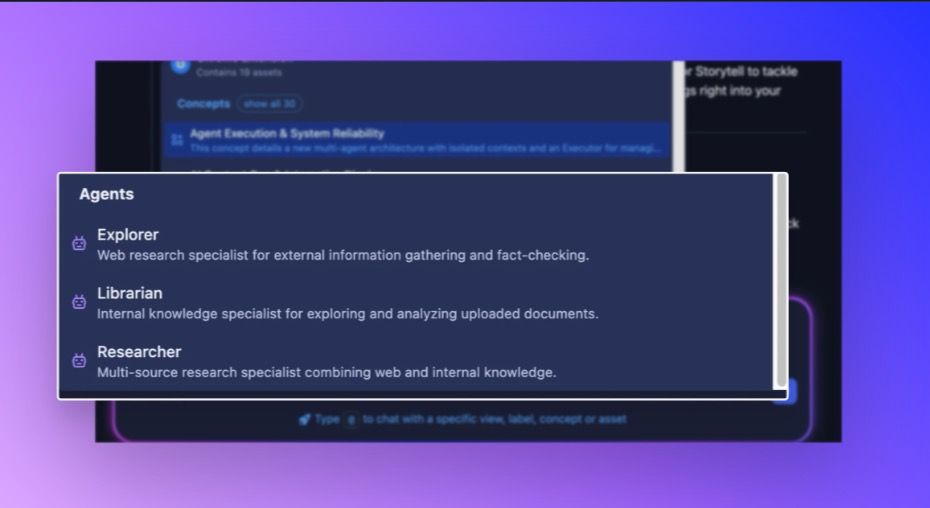
Specialized Storytell Agents
We've been working on something that fundamentally changes how Storytell handles complex work—and we're excited to share it with you today. This release introduces a completely new way for Storytell to tackle research-heavy tasks, plus a highly requested integration that brings your Zoom meetings right into your workflow.
Ever asked Storytell to research something complex and felt like you were watching it struggle to keep track of everything? That's because until now, every task—no matter how big or small—happened in a single conversation thread that could get overwhelmed with information.
We've solved this with specialized AI agents.
What are agents? Think of them as expert assistants who work behind the scenes on specific parts of your request. When you ask Storytell to do something complex—like researching a topic across multiple sources or digging through your entire document library—Storytell can now delegate that work to specialized agents who are optimized for exactly that task.
Here's what makes this powerful:
Each agent works in its own isolated workspace, which means they can tackle massive research tasks without bogging down your main conversation. You'll see their progress in real-time as they work, but the results come back to you clean and condensed.
Storytell Agents:
Explorer – Your web research specialist. Point the Explorer at any topic and watch it search the internet, read articles, and synthesize findings from across the web.
Librarian – Your internal knowledge expert. The Librarian dives deep into your uploaded documents and Collections, finding connections and insights you might have missed.
Researcher – Your multi-source investigator. Need to cross-reference web research with your internal documents? The Researcher handles both simultaneously
How to use it:
Agents are controlled through the Tool Selector menu in the prompt bar. To access it:


Click the tools icon in the prompt bar
Find the Agents option in the tool list
Toggle the switch to enable or disable agents
Enabling agents:

When enabled, the system can automatically delegate tasks to specialized agents
Agents appear in the mention menu (when you type
@) for explicit selectionThe main agent can intelligently choose which specialized agent to use
Disabling agents:
When disabled, the system will not use specialized agents
Agents will not appear in the mention menu
All tasks are handled by the general agent with direct tool calls
💡 Tip: You can enable or disable all tools at once using the "All" toggle at the top of the tool selector menu. This is useful for quickly resetting your tool preferences.
Get started here: Multi-Agent Architecture & Specialized Agents