January 15th, 2026
New
Improved
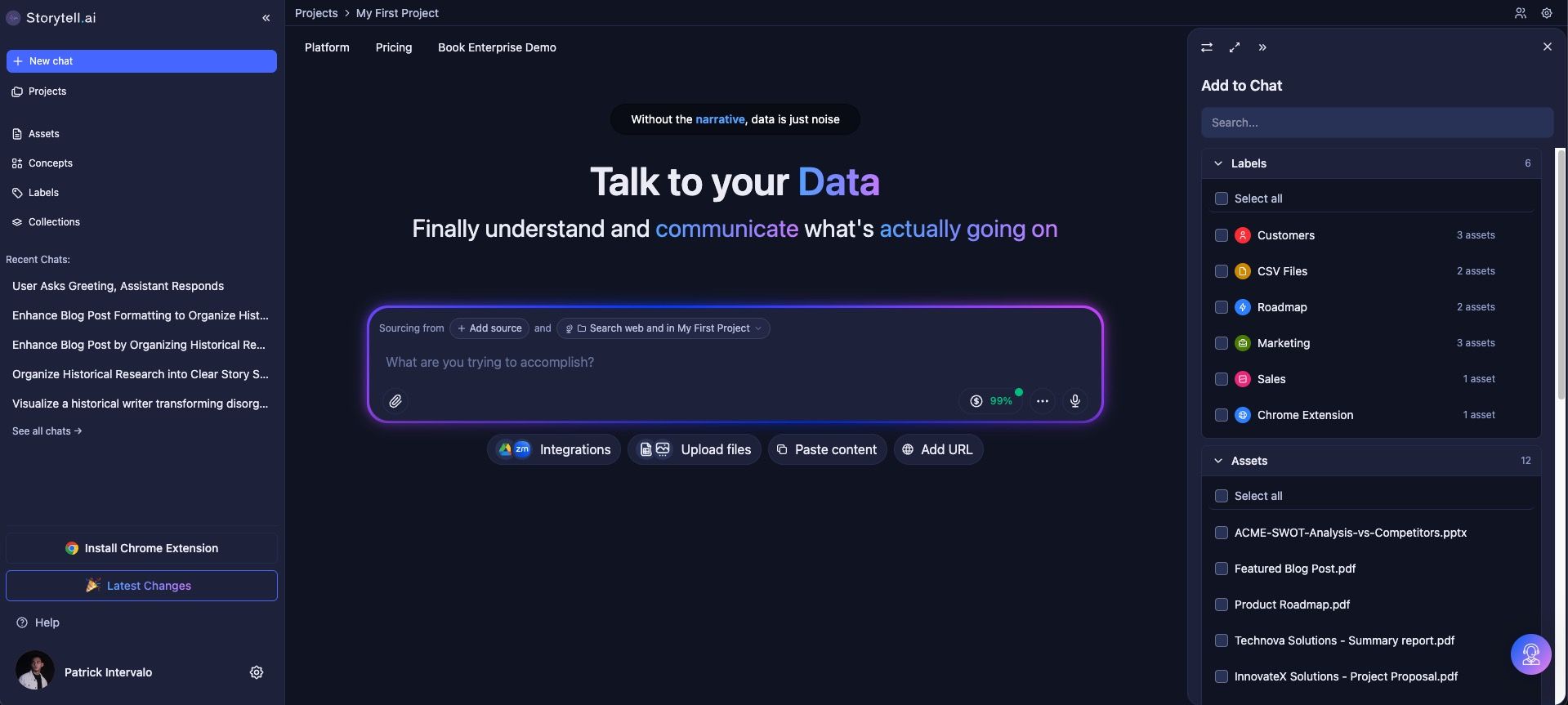
Explore content faster with a refreshed UI/UX
Storytell’s interface has been redesigned for smoother navigation, chat, and content exploration, making it easier than ever to find, organize, and interact with your knowledge.
The updated UI/UX helps you focus on your work without extra clicks, so you can spend more time engaging with your content and less time figuring out the interface.
What’s new
Navigation Tab Up Top: The new top navigation bar lets you switch between tabs quickly. Move between Projects, Assets, Collections, Labels, or Concepts faster and more intuitively, keeping your workflow uninterrupted.

Redesigned Side Panel: Assets, Concepts, Labels, Collections, and Recent Chats each have their own dedicated panel that opens as a window instead of a small pop-up. This provides more space to view content, makes it easier to manage multiple sources at once, and reduces clutter from the previous interface.

Improved “What’s In Scope” UI/UX: It’s now immediately clear which content is part of your chat’s context. See what’s being referenced from Assets, Collections, Labels, or Concepts, so you always know exactly what your responses are based on.

Enhanced Source Selection: When starting a chat, you can now choose exactly which sources to include—Assets, Labels, Collections, Concepts, or even web sources. Adjust search settings to pull from Project knowledge, the web, or both, giving full control over your information scope.

Expandable Source Panel: Selecting sources in chat now opens a panel on the right that can be expanded for better visibility. Drill down into each Asset, Label, Collection, or Concept, review individual file sources, and adjust your selections without losing context.

Why this matters
Navigating your knowledge base should feel seamless, not like a puzzle. The new UI/UX reduces friction at every step—from finding content, organizing Assets, and chatting with knowledge to exploring Concepts and Collections—so you can move from ingestion to insight faster and with less effort.
Who benefits
Users managing multiple projects and chats simultaneously
Analysts and researchers exploring complex datasets
Teams collaborating on content across devices
Anyone who wants a smoother, more intuitive interface for interacting with knowledge