January 9th, 2026
Upgraded
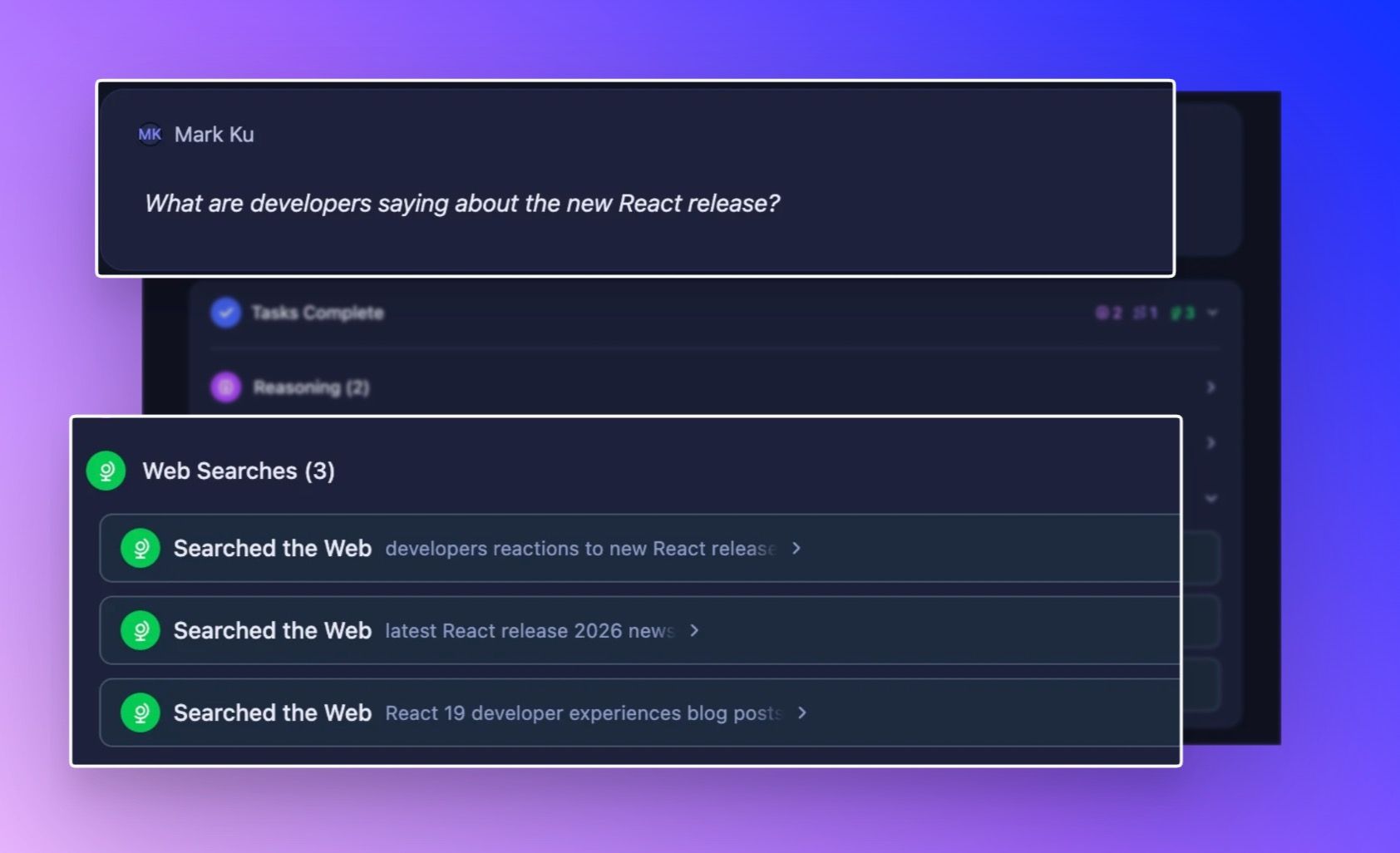
Better Web Search: Find exactly what you need, where it lives
Searching the web is great, but sometimes "Googling it" is a bit like looking for a needle in a haystack especially when you need something really specific, like a piece of code or the latest academic research. We’ve given Storytell a serious upgrade in how it sees the web, helping it understand exactly where to look for the answers you need.
How it works:

In your prompt bar, click the … icon at the bottom right, and click on Available Tools

Make sure that the Web Search tool is turned ON, then just search naturally in Storytell. Storytell automatically recognizes what type of content you're looking for based on your question. Ask "What are developers saying about the new React release?" and it knows to search X. Ask "Find research on retrieval augmented generation" and it searches academic papers.

What you can now search for:
GitHub repositories – Need a testing framework in Go? A specific library? You'll find actual code repositories, not just articles about code
X (Twitter) posts – See what people are actually saying about a topic right now. Perfect for gauging sentiment, finding hot takes, or tracking reactions to news
Research papers – Academic sources, peer-reviewed studies, and scholarly work—without wading through blog posts and news articles
People – Find professionals by role, company, or expertise. Think "AI researchers at OpenAI" or "engineers who work at Amazon"
Companies – Search for startups, businesses, and organizations in specific industries
News articles – Get current events and journalism, filtered from other content types
Personal sites & blogs – Developer experiences, tutorials, and individual perspectives that don't show up on major platforms
Financial reports – SEC filings, earnings reports, and investor documents when you need official numbers
Why this matters:
iff you're looking for a specific software library, a general web search might give you blog posts about the library. But what you really want is the repository itself. Now, SmartChat™ knows the difference.
Here’s what’s new under the hood:
We’ve integrated specialized search categories that automatically activate based on your intent. This means clearer, more authoritative results for specialized queries:
💻 For Developers: When you look for code libraries or frameworks, we now specifically target GitHub repositories to get you the source truth.
🐦 For Trend Watchers: Want to know what people are saying right now? We can now target Tweets/X to gauge real-time sentiment and discussions.
🎓 For Researchers: Ask about scientific advancements, and we’ll filter for Research Papers and academic publications, skipping the pop-science summaries.
💼 For Business Analysts: We've added dedicated filters for Company data (great for finding startups), Financial Reports (perfect for earnings season), and People (for finding specific roles or professionals